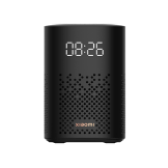
小米小爱音箱Play 增强版
xiaomi.wifispeaker.l05c
基础信息
- 产品 ID
- 4039
- 厂商
- 小米
- 品类
- 影音娱乐
- 参考价
- ¥129
- 发布时间
- 2021-08
- 状态
- 已发布
- 协议
- Wi‑Fi
- 型号
- xiaomi.wifispeaker.l05c
- 需要网关
- 不需要
小爱语控
开关
- 打开音箱
- 关闭音箱
音量
- 音箱音量调为百分之五十
- 音箱音量调大
- 音箱音量调小
- 音箱音量调到最大
- 音箱音量调到最小
静音
- 音箱开启静音模式
- 音箱关闭静音模式
停止
- 音箱暂停工作
智能场景
执行动作
常见问题
1.Unable to connect to Wi-Fi
If you can see an orange light indicator on Xiaomi AI Speaker and your device cannot connecto to Wi-Fi, you need to make sure the following issues: ① Your Wi-Fi networks use 802.11 b/g/n/ac standard; ② Your Wi-Fi networks that use WPA/WPA2-psk standard; ③ Your password is correct; ④ The DHCP service on your router is enabled; ⑤ Your router can connect to the Internet; ⑥ The MAC address filtering function of the router is off; ⑦ Your smartphone OS should be either Android 4.3 or above or IOS8.0 or above (with an iPhone4s or above). ⑧ Make sure the Bluetooth of your smartphone is on. (If the Bluetooth is already one, you can restart the Bluetooth; If you are using an iPhone and it was connected to the speaker before via Bluetooth, you need to select Setting>>Bluetooth>>Click on the “!” sign to right of the device>> select “Ignore” If all the requirements above are met yet the Speaker still can’t connect to the Wi-Fi, please try to restart the speaker. If the speaker still can’t connect, it’s probably because of the network limitation, you can change the network environment to connect. (E.g. If your smartphone plan has a 3G network or above, and has enough data, you can create a hotspot.)
2.There’s no Mijia Smart Appliance in the “Smart Appliance” to authorize.
When you select “Smart Appliance”>>select “Authorize to control Mijia Smart Appliance”>> it says “There’s no Mijia Smart Appliance to authorize to control”, normally it’s because you use a different account for your AI Speaker from the account you use to control Mijia Smart Appliance. You may check the following issues: ①Make sure that the AI Speaker and the Smart Appliances are bound to the same account, you can see this AI Speaker in your Mijia App. ② If they are bound to the same account, please check whether your AI Speaker can control this device. (You can find the list of devices that can be controlled by AI Speaker on Official Website.) ③ If all the requirements are met, yet you still can’t find Smart Appliance that can be authorized to be control, please contact our Customer Services.