
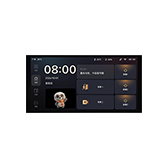
#ptx.switch.x6tp69
平头熊6.9寸高清屏幕开关(X6 Pro)
urn:miot-spec-v2:device:switch:0000A003:ptx-x6tp69:1:0000D042
Language
Service tree
Switch button 1#2 · switch3 properties1 actions
Switch button 1
#2 · switch
Properties
Button 1
#1 · on
- Format
- bool
- Access
- R / W / N
- Value
- —
Mode
#2 · mode
- Format
- uint8
- Access
- R / W / N
- Value
- 0Wired And Wireless1Wireless
Button name
#6 · name
- Format
- string
- Access
- Value
- —
Actions
Switch state switching
#1 · toggle
Switch button 2#3 · switch3 properties1 actions
Switch button 2
#3 · switch
Properties
Button 2
#1 · on
- Format
- bool
- Access
- R / W / N
- Value
- —
Mode
#2 · mode
- Format
- uint8
- Access
- R / W / N
- Value
- 0Wired And Wireless1Wireless
Button name
#4 · name
- Format
- string
- Access
- Value
- —
Actions
Switch state switching
#1 · toggle
Switch button 3#4 · switch3 properties1 actions
Switch button 3
#4 · switch
Properties
Button 3
#1 · on
- Format
- bool
- Access
- R / W / N
- Value
- —
Mode
#2 · mode
- Format
- uint8
- Access
- R / W / N
- Value
- 0Wired And Wireless1Wireless
Service Name
#4 · name
- Format
- string
- Access
- Value
- —
Actions
Wired and wireless
#1 · toggle
First Switch Sensor#5 · switch-sensor1 events
First Switch Sensor
#5 · switch-sensor
Events
Click
#1 · click
Second Switch Sensor#6 · switch-sensor1 events
Second Switch Sensor
#6 · switch-sensor
Events
Click
#1 · click
Third Switch Sensor#7 · switch-sensor1 events
Third Switch Sensor
#7 · switch-sensor
Events
Click
#1 · click
Occupancy Sensor#32 · occupancy-sensor3 properties
Occupancy Sensor
#32 · occupancy-sensor
Properties
Enable Switch
#1 · enable-switch
- Format
- bool
- Access
- R / W / N
- Value
- —
Occupancy Status
#2 · occupancy-status
- Format
- uint8
- Access
- R / N
- Value
- 0No One1Has One
No One Determine Time
#3 · no-one-determine-time
- Format
- uint16
- Access
- R / W / N
- Value
- 3030 Second601 Minute1202 Minute3005 Minute60010 Minute90015 Minute180030 Minute36001 Hour
Scene#19 · scene20 properties10 events
Scene
#19 · scene
Properties
Scene 1
#1 · scene-keya
- Format
- string
- Access
- Value
- —
Scene 2
#2 · scene-keyb
- Format
- string
- Access
- Value
- —
Scene 3
#3 · scene-keyc
- Format
- string
- Access
- Value
- —
Scene 4
#4 · scene-keyd
- Format
- string
- Access
- Value
- —
Scene 5
#5 · scene-keye
- Format
- string
- Access
- Value
- —
Scene 6
#6 · scene-keyf
- Format
- string
- Access
- Value
- —
Scene 7
#7 · scene-keyg
- Format
- string
- Access
- Value
- —
Scene 8
#8 · scene-keyh
- Format
- string
- Access
- Value
- —
Scene 9
#9 · scene-keyi
- Format
- string
- Access
- Value
- —
Scene 10
#10 · scene-keyj
- Format
- string
- Access
- Value
- —
Scene 1 Icon
#11 · scene-keya-icon
- Format
- uint8
- Access
- R / W / N
- Value
- 0 ~ 255, step 1
Scene 2 Icon
#12 · scene-keyb-icon
- Format
- uint8
- Access
- R / W / N
- Value
- 0 ~ 255, step 1
Scene 3 Icon
#13 · scene-keyc-icon
- Format
- uint8
- Access
- R / W / N
- Value
- 0 ~ 255, step 1
Scene 4 Icon
#14 · scene-keyd-icon
- Format
- uint8
- Access
- R / W / N
- Value
- 0 ~ 255, step 1
Scene 5 Icon
#15 · scene-keye-icon
- Format
- uint8
- Access
- R / W / N
- Value
- 0 ~ 255, step 1
Scene 6 Icon
#16 · scene-keyf-icon
- Format
- uint8
- Access
- R / W / N
- Value
- 0 ~ 255, step 1
Scene 7 Icon
#17 · scene-keyg-icon
- Format
- uint8
- Access
- R / W / N
- Value
- 0 ~ 255, step 1
Scene 8 Icon
#18 · scene-keyh-icon
- Format
- uint8
- Access
- R / W / N
- Value
- 0 ~ 255, step 1
Scene 9 Icon
#19 · scene-keyi-icon
- Format
- uint8
- Access
- R / W / N
- Value
- 0 ~ 255, step 1
Scene 10 Icon
#20 · scene-keyj-icon
- Format
- uint8
- Access
- R / W / N
- Value
- 0 ~ 255, step 1
Events
Scene 1 Event
#1 · scene-keya-evt
Scene 2 Event
#2 · scene-keyb-evt
Scene 3 Event
#3 · scene-keyc-evt
Scene 4 Event
#4 · scene-keyd-evt
Scene 5 Event
#5 · scene-keye-evt
Scene 6 Event
#6 · scene-keyf-evt
Scene 7 Event
#7 · scene-keyg-evt
Scene 8 Event
#8 · scene-keyh-evt
scene-keyi-evt
#9 · scene-keyi-evt
scene-keyj-evt
#10 · scene-keyj-evt
Switch 1 expand#20 · switch-ext5 properties2 actions
Switch 1 expand
#20 · switch-ext
Properties
Functions
#1 · func
- Format
- uint8
- Access
- R / W / N
- Value
- 0Default1Wireless2JogMode4Interlock5Curtain
always-on-en
#2 · always-on-en
- Format
- bool
- Access
- R / N / W
- Value
- —
pulse-time
#3 · pulse-time
- Format
- uint8
- Access
- R / N / W
- Value
- 20 ~ 200, step 20
remote-num
#4 · remote-num
- Format
- uint8
- Access
- R / N
- Value
- 0 ~ 255, step 1
default-state
#5 · default-state
- Format
- uint8
- Access
- R / N / W
- Value
- 0Off1On2Last
Actions
start-match-remote
#1 · start-match-remote
clear-all-remote
#2 · clear-all-remote
Switch 2 expand#21 · switch-ext5 properties2 actions
Switch 2 expand
#21 · switch-ext
Properties
Functions
#1 · func
- Format
- uint8
- Access
- R / W / N
- Value
- 0Default1Wireless2JogMode4Interlock5Curtain
always-on-en
#2 · always-on-en
- Format
- bool
- Access
- R / N / W
- Value
- —
pulse-time
#3 · pulse-time
- Format
- uint8
- Access
- R / N / W
- Value
- 20 ~ 200, step 20
remote-num
#4 · remote-num
- Format
- uint8
- Access
- R / N
- Value
- 0 ~ 255, step 1
default-state
#5 · default-state
- Format
- uint8
- Access
- R / N / W
- Value
- 0Off1On2Last
Actions
start-match-remote
#1 · start-match-remote
clear-all-remote
#2 · clear-all-remote
Switch 3 expand#22 · switch-ext5 properties2 actions
Switch 3 expand
#22 · switch-ext
Properties
Functions
#1 · func
- Format
- uint8
- Access
- R / W / N
- Value
- 0Default1Wireless2JogMode4Interlock5Curtain
always-on-en
#2 · always-on-en
- Format
- bool
- Access
- R / N / W
- Value
- —
pulse-time
#3 · pulse-time
- Format
- uint8
- Access
- R / N / W
- Value
- 20 ~ 200, step 20
remote-num
#4 · remote-num
- Format
- uint8
- Access
- R / N
- Value
- 0 ~ 255, step 1
default-state
#5 · default-state
- Format
- uint8
- Access
- R / N / W
- Value
- 0Off1On2Last
Actions
start-match-remote
#1 · start-match-remote
clear-all-remote
#2 · clear-all-remote
Display settings#23 · display-settings15 properties2 actions2 events
Display settings
#23 · display-settings
Properties
Screen brightness
#1 · screen-brightness
- Format
- uint8
- Access
- R / W / N
- Value
- 1 ~ 100, step 1 percentage
standby-timeout
#2 · standby-timeout
- Format
- uint8
- Access
- R / N / W
- Value
- 015 Second130 Second21 Minute32 Minute45 Minute510 Minute255Never
standby-duration
#3 · standby-duration
- Format
- uint8
- Access
- R / N / W
- Value
- 01 Minute15 Minute210 Minute330 Minute41 Hour52 Hour64 Hour
standby-saver-selec
#4 · standby-saver-selec
- Format
- uint8
- Access
- R / N / W
- Value
- 0Screen Off1Fortune & Blessing2Year-round Prosperity3Abundant Year4Colorful Flowing Waves5Butterfly Shadow & Glow6Blooming Radiance7Blue Sea Surf
proximity-saver-sw
#5 · proximity-saver-sw
- Format
- bool
- Access
- R / N / W
- Value
- —
proximity-saver-dist
#6 · proximity-saver-dist
- Format
- uint8
- Access
- R / N / W
- Value
- 30 ~ 120, step 1
proximity-main-sw
#7 · proximity-main-sw
- Format
- bool
- Access
- R / N / W
- Value
- —
proximity-main-dist
#8 · proximity-main-dist
- Format
- uint8
- Access
- R / N / W
- Value
- 10 ~ 100, step 1
standby-return
#9 · standby-return
- Format
- uint8
- Access
- R / N / W
- Value
- 0Scene1Home2Device3Album
sleep-mode
#10 · sleep-mode
- Format
- uint8
- Access
- R / N / W
- Value
- 0Off1Light2Deep
sleep-time-slot
#11 · sleep-time-slot
- Format
- uint32
- Access
- R / N / W
- Value
- 0 ~ 4294967295, step 1
half-rotated
#12 · half-rotated
- Format
- bool
- Access
- R / N / W
- Value
- —
saver-auto-dist-res
#13 · saver-auto-dist-res
- Format
- uint8
- Access
- Value
- 0 ~ 120, step 1
main-auto-dist-res
#14 · main-auto-dist-res
- Format
- uint8
- Access
- Value
- 0 ~ 100, step 1
random-saver-en
#15 · random-saver-en
- Format
- bool
- Access
- R / N / W
- Value
- —
Actions
saver-auto-dist-set
#1 · saver-auto-dist-set
main-auto-dist-set
#2 · main-auto-dist-set
Events
saver-auto-dist-evt
#1 · saver-auto-dist-evt
Arguments
#13saver-auto-dist-resuint8
main-auto-dist-set
#2 · main-auto-dist-set
Arguments
#14main-auto-dist-resuint8
Other#24 · other9 properties
Other
#24 · other
Properties
dev-manage-list
#1 · dev-manage-list
- Format
- uint32
- Access
- R / N / W
- Value
- 0 ~ 4294967295, step 1
dev-data-sync
#2 · dev-data-sync
- Format
- uint32
- Access
- R / N / W
- Value
- 0 ~ 4294967295, step 1
screen-theme
#3 · screen-theme
- Format
- uint8
- Access
- R / N / W
- Value
- 0 ~ 3, step 1
output-swap
#4 · output-swap
- Format
- uint16
- Access
- R / N / W
- Value
- 0 ~ 65535, step 1
language
#5 · language
- Format
- uint8
- Access
- R / N / W
- Value
- 0Simplified Chinese1English
user-text-select
#6 · user-text-select
- Format
- uint8
- Access
- R / N / W
- Value
- 0Off1User-Text-12User-Text-23User-Text-34User-Text-45User-Text-56User-Text-67User-Text-78User-Text-89User-Text-910User-Text-10
device-region
#7 · device-region
- Format
- uint32
- Access
- R / N / W
- Value
- 0 ~ 4294967295, step 1
User entry display (notification)
#8 · user-text-show
- Format
- uint8
- Access
- W
- Value
- 0Off1User-Text-12User-Text-23User-Text-34User-Text-45User-Text-56User-Text-67User-Text-78User-Text-89User-Text-910User-Text-10
dev-name-sync
#9 · dev-name-sync
- Format
- uint32
- Access
- R / N
- Value
- 0 ~ 4294967295, step 1
Music#25 · play-ctrl1 properties4 actions4 events
Music
#25 · play-ctrl
Properties
Play state
#1 · play-state
- Format
- uint8
- Access
- R / W / N
- Value
- 0Pause1Play
Actions
Previous song
#1 · previous
Next song
#2 · next
Increase the volume
#3 · volume-add
Reduce the volume
#4 · volume-dec
Events
Previous song
#1 · previous
Next song
#2 · next
Increase the volume
#3 · volume-add
Reduce the volume
#4 · volume-dec
Bath heater#28 · bath2 properties
Bath heater
#28 · bath
Properties
Lighting
#1 · light-onoff
- Format
- bool
- Access
- R / W / N
- Value
- —
Mode
#2 · mode
- Format
- uint8
- Access
- R / W / N
- Value
- 0Idle1Fan2Ventilate3Weak Heat4Strong Heat
Cloth curtain#14 · curtain3 properties1 actions1 events
Cloth curtain
#14 · curtain
Properties
Motor control
#1 · motor-control
- Format
- uint8
- Access
- W
- Value
- 0Pause1Open2Close
Work state
#3 · status
- Format
- uint8
- Access
- Value
- 0Pause1Opening2Closing
Set position(Curtain note: 0 fully covered, 100 fully opened)
#6 · target-position
- Format
- uint8
- Access
- R / W / N
- Value
- 0 ~ 100, step 1 percentage
Actions
Motion state switching
#2 · motion-state-toggle
Events
Curtain condition
#1 · motor-status
Arguments
#3Work stateuint8
Gauze curtain#15 · curtain3 properties1 actions1 events
Gauze curtain
#15 · curtain
Properties
Motor control
#1 · motor-control
- Format
- uint8
- Access
- W
- Value
- 0Pause1Open2Close
Work state
#3 · status
- Format
- uint8
- Access
- Value
- 0Pause1Opening2Closing
Set position(Curtain note: 0 fully covered, 100 fully opened)
#6 · target-position
- Format
- uint8
- Access
- R / W / N
- Value
- 0 ~ 100, step 1 percentage
Actions
Motion state switching
#2 · motion-state-toggle
Events
Curtain condition
#1 · motor-status
Arguments
#3Work stateuint8
Roller curtain#16 · curtain3 properties1 actions1 events
Roller curtain
#16 · curtain
Properties
Motor control
#1 · motor-control
- Format
- uint8
- Access
- W
- Value
- 0Pause1Open2Close
Work state
#3 · status
- Format
- uint8
- Access
- Value
- 0Pause1Opening2Closing
Set position(Curtain note: 0 fully covered, 100 fully opened)
#6 · target-position
- Format
- uint8
- Access
- R / W / N
- Value
- 0 ~ 100, step 1 percentage
Actions
Motion state switching
#2 · motion-state-toggle
Events
Curtain condition
#1 · motor-status
Arguments
#3Work stateuint8
Dreamy curtain#17 · curtain4 properties1 actions1 events
Dreamy curtain
#17 · curtain
Properties
Motor control
#1 · motor-control
- Format
- uint8
- Access
- W
- Value
- 0Pause1Open2Close
Work state
#3 · status
- Format
- uint8
- Access
- Value
- 0Stop1Opening2Closing
Set position(Curtain note: 0 fully covered, 100 fully opened)
#6 · target-position
- Format
- uint8
- Access
- R / W / N
- Value
- 0 ~ 100, step 1 percentage
Set angle(Curtain note: 0 fully covered, 180 fully opened)
#7 · target-angle
- Format
- uint8
- Access
- R / W / N
- Value
- 0 ~ 180, step 1
Actions
Motion state switching
#2 · motion-state-toggle
Events
Curtain condition
#1 · motor-status
Arguments
#3Work stateuint8
Clothes drying rack#26 · airer4 properties1 events
Clothes drying rack
#26 · airer
Properties
Motor control
#2 · motor-control
- Format
- uint8
- Access
- W
- Value
- 0Pause1Rise2Reduce
Set position
#3 · target-position
- Format
- uint8
- Access
- R / W / N
- Value
- 0 ~ 100, step 1 percentage
Light switch
#4 · on
- Format
- bool
- Access
- R / W / N
- Value
- —
Work state
#5 · status
- Format
- uint8
- Access
- Value
- 0Pause1Rises2Declining
Events
Clothes drying rack status
#1 · motor-status
Arguments
#5Work stateuint8
Air-Con#18 · air-conditioner4 properties1 actions
Air-Con
#18 · air-conditioner
Properties
Switch
#1 · switch
- Format
- bool
- Access
- R / W / N
- Value
- —
Mode
#2 · mode
- Format
- uint8
- Access
- R / W / N
- Value
- 0Cool1Heat2Fan3Dry
Setting temperature
#4 · target-temperature
- Format
- uint8
- Access
- R / W / N
- Value
- 16 ~ 32, step 1
Wind speed
#12 · soft-wind
- Format
- uint8
- Access
- R / W / N
- Value
- 0Auto1Low2Medium3High
Actions
Switch state switching
#1 · toggle
Fan light#27 · fan4 properties
Fan light
#27 · fan
Properties
Fan switch
#1 · fan-switch
- Format
- bool
- Access
- R / W / N
- Value
- —
Fan level
#2 · fan-level
- Format
- uint8
- Access
- R / W / N
- Value
- 0Low1Medium2High3Turbo
Light switch
#3 · light-switch
- Format
- bool
- Access
- R / W / N
- Value
- —
Fan and light switch
#4 · fan-light-switch
- Format
- bool
- Access
- R / W / N
- Value
- —
light-a#10 · light-a4 properties5 actions
light-a
#10 · light-a
Properties
switch
#1 · switch
- Format
- bool
- Access
- R / W / N
- Value
- —
mode
#2 · mode
- Format
- uint8
- Access
- R / W / N
- Value
- 1Warmth2Hospitality3Night4Lighting5Walk6Sleep
#3 · brightness
- Format
- uint8
- Access
- R / W / N
- Value
- 1 ~ 100, step 1
#5 · color-temperature
- Format
- uint32
- Access
- R / W / N
- Value
- 2700 ~ 6500, step 1
Actions
toggle
#1 · toggle
brightness-up
#7 · brightness-up
brightness-down
#8 · brightness-down
color-temperature-
#12 · color-temperature-
color-temperature-up
#13 · color-temperature-up
light-b#11 · light-b4 properties5 actions
light-b
#11 · light-b
Properties
switch
#1 · switch
- Format
- bool
- Access
- R / W / N
- Value
- —
mode
#2 · mode
- Format
- uint8
- Access
- R / W / N
- Value
- 1Warmth2Hospitality3Night4Lighting5Walk6Sleep
brightness
#3 · brightness
- Format
- uint8
- Access
- R / W / N
- Value
- 1 ~ 100, step 1
color-temperature
#5 · color-temperature
- Format
- uint32
- Access
- R / W / N
- Value
- 2700 ~ 6500, step 1
Actions
toggle
#1 · toggle
brightness-up
#7 · brightness-up
brightness-down
#8 · brightness-down
color-temperature-
#12 · color-temperature-
color-temperature-up
#13 · color-temperature-up
light-c#12 · light-c4 properties5 actions
light-c
#12 · light-c
Properties
switch
#1 · switch
- Format
- bool
- Access
- R / W / N
- Value
- —
mode
#2 · mode
- Format
- uint8
- Access
- R / W / N
- Value
- 1Warmth2Hospitality3Night4Lighting5Walk6Sleep
brightness
#3 · brightness
- Format
- uint8
- Access
- R / W / N
- Value
- 1 ~ 100, step 1
color-temperature
#5 · color-temperature
- Format
- uint32
- Access
- R / W / N
- Value
- 2700 ~ 6500, step 1
Actions
toggle
#1 · toggle
brightness-up
#7 · brightness-up
brightness-down
#8 · brightness-down
color-temperature-
#12 · color-temperature-
color-temperature-up
#13 · color-temperature-up
light-d#13 · light-d4 properties3 actions
light-d
#13 · light-d
Properties
switch
#1 · switch
- Format
- bool
- Access
- R / W / N
- Value
- —
mode
#2 · mode
- Format
- uint8
- Access
- R / W / N
- Value
- 1Color2Warm3Dreamlike4Midsummer5Walk6Sleep
brightness
#3 · brightness
- Format
- uint8
- Access
- R / W / N
- Value
- 1 ~ 100, step 1
color
#4 · color
- Format
- uint32
- Access
- R / W / N
- Value
- 0 ~ 16777215, step 1
Actions
toggle
#1 · toggle
brightness-up
#7 · brightness-up
brightness-down
#8 · brightness-down
light-e#29 · light-e4 properties5 actions
light-e
#29 · light-e
Properties
#1 · switch
- Format
- bool
- Access
- R / W / N
- Value
- —
#2 · mode
- Format
- uint8
- Access
- R / W / N
- Value
- 1Warmth2Hospitality3Night4Lighting5Walk6Sleep
#3 · brightness
- Format
- uint8
- Access
- R / W / N
- Value
- 1 ~ 100, step 1
color-temperature
#5 · color-temperature
- Format
- uint32
- Access
- R / W / N
- Value
- 2700 ~ 6500, step 1
Actions
toggle
#1 · toggle
brightness-up
#7 · brightness-up
brightness-down
#8 · brightness-down
color-temperature-dw
#12 · color-temperature-dw
color-temperature-up
#13 · color-temperature-up
light-f#30 · light-f4 properties5 actions
light-f
#30 · light-f
Properties
#1 · switch
- Format
- bool
- Access
- R / W / N
- Value
- —
mode
#2 · mode
- Format
- uint8
- Access
- R / W / N
- Value
- 1 ~ 6, step 1
#3 · brightness
- Format
- uint8
- Access
- R / W / N
- Value
- 1 ~ 100, step 1
color-temperature
#5 · color-temperature
- Format
- uint32
- Access
- R / W / N
- Value
- 1800 ~ 12000, step 1
Actions
toggle
#1 · toggle
brightness-up
#2 · brightness-up
brightness-down
#3 · brightness-down
color-temperature-dw
#4 · color-temperature-dw
color-temperature-up
#5 · color-temperature-up
local-cfg#31 · local-cfg25 properties
local-cfg
#31 · local-cfg
Properties
light-name-a
#1 · light-name-a
- Format
- string
- Access
- Value
- —
light-name-b
#2 · light-name-b
- Format
- string
- Access
- Value
- —
light-name-c
#3 · light-name-c
- Format
- string
- Access
- Value
- —
light-name-d
#4 · light-name-d
- Format
- string
- Access
- Value
- —
light-name-e
#5 · light-name-e
- Format
- string
- Access
- Value
- —
light-name-f
#6 · light-name-f
- Format
- string
- Access
- Value
- —
curtain-name-a
#7 · curtain-name-a
- Format
- string
- Access
- Value
- —
curtain-name-b
#8 · curtain-name-b
- Format
- string
- Access
- Value
- —
curtain-name-c
#9 · curtain-name-c
- Format
- string
- Access
- Value
- —
curtain-name
#10 · curtain-name
- Format
- string
- Access
- Value
- —
aircond-name-a
#11 · aircond-name-a
- Format
- string
- Access
- Value
- —
bath-light-name-a
#12 · bath-light-name-a
- Format
- string
- Access
- Value
- —
fan-light-name-a
#13 · fan-light-name-a
- Format
- string
- Access
- Value
- —
airer-name-a
#14 · airer-name-a
- Format
- string
- Access
- Value
- —
playctrl-name-a
#15 · playctrl-name-a
- Format
- string
- Access
- Value
- —
user-text-a
#30 · user-text-a
- Format
- string
- Access
- Value
- —
user-text-b
#31 · user-text-b
- Format
- string
- Access
- Value
- —
user-text-c
#32 · user-text-c
- Format
- string
- Access
- Value
- —
user-text-d
#33 · user-text-d
- Format
- string
- Access
- Value
- —
user-text-e
#34 · user-text-e
- Format
- string
- Access
- Value
- —
user-text-f
#35 · user-text-f
- Format
- string
- Access
- Value
- —
user-text-g
#36 · user-text-g
- Format
- string
- Access
- Value
- —
user-text-h
#37 · user-text-h
- Format
- string
- Access
- Value
- —
user-text-i
#38 · user-text-i
- Format
- string
- Access
- Value
- —
user-text-j
#39 · user-text-j
- Format
- string
- Access
- Value
- —