
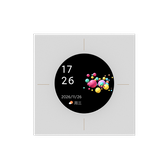
#keey.switch.qypx4
KEEY 智能四键智慧屏开关 M2Pro
urn:miot-spec-v2:device:switch:0000A003:keey-qypx4:1:0000D042
Language
Service tree
Button 1#2 · switch2 properties1 actions
Button 1
#2 · switch
Properties
Button 1
#1 · on
- Format
- bool
- Access
- R / W / N
- Value
- —
Mode
#2 · mode
- Format
- uint8
- Access
- R / W / N
- Value
- 0Wired And Wireless1Wireless
Actions
Toggle
#1 · toggle
Button 2#3 · switch2 properties1 actions
Button 2
#3 · switch
Properties
Button 2
#1 · on
- Format
- bool
- Access
- R / W / N
- Value
- —
Mode
#2 · mode
- Format
- uint8
- Access
- R / W / N
- Value
- 0Wired And Wireless1Wireless
Actions
Toggle
#1 · toggle
Button 3#4 · switch2 properties1 actions
Button 3
#4 · switch
Properties
Button 3
#1 · on
- Format
- bool
- Access
- R / W / N
- Value
- —
Mode
#2 · mode
- Format
- uint8
- Access
- R / W / N
- Value
- 0Wired And Wireless1Wireless
Actions
Toggle
#1 · toggle
Switch Sensor#9 · switch-sensor1 properties4 events
Switch Sensor
#9 · switch-sensor
Properties
Button Type
#1 · button-type
- Format
- uint32
- Access
- Value
- 1Button 12Button 23Button 34Button 45Scene 1 Button6Scene 2 Button7Scene 3 Button8Scene 4 Button
Events
Button single click
#1 · click
Arguments
#1Button Typeuint32
Button double click
#2 · double-click
Arguments
#1Button Typeuint32
Button long press
#3 · long-press
Arguments
#1Button Typeuint32
Button release after long press
#4 · long-press
Arguments
#1Button Typeuint32
Button 4#10 · switch2 properties1 actions
Button 4
#10 · switch
Properties
Button 4
#1 · on
- Format
- bool
- Access
- R / W / N
- Value
- —
Mode
#2 · mode
- Format
- uint8
- Access
- R / W / N
- Value
- 0Wired And Wireless1Wireless
Actions
Toggle
#1 · toggle
Settings#18 · setting12 properties
Settings
#18 · setting
Properties
Configuration parameters
#1 · data-zero
- Format
- uint32
- Access
- R / N
- Value
- 0 ~ 4294967295, step 1
Parameter 3
#4 · data-c
- Format
- uint32
- Access
- R / W / N
- Value
- 0 ~ 4294967295, step 1
Parameter 4
#5 · data-d
- Format
- uint32
- Access
- R / W / N
- Value
- 0 ~ 4294967295, step 1
Parameter 5
#6 · data-e
- Format
- uint32
- Access
- R / W / N
- Value
- 0 ~ 4294967295, step 1
Parameter 6
#7 · data-f
- Format
- uint32
- Access
- R / W / N
- Value
- 0 ~ 4294967295, step 1
Parameter 7
#8 · data-g
- Format
- uint32
- Access
- R / W / N
- Value
- 0 ~ 4294967295, step 1
Parameter 8
#9 · data-h
- Format
- uint32
- Access
- R / W / N
- Value
- 0 ~ 4294967295, step 1
Parameter 9
#10 · data-i
- Format
- uint32
- Access
- R / W / N
- Value
- 0 ~ 4294967295, step 1
Parameter 10
#11 · data-j
- Format
- uint32
- Access
- R / W / N
- Value
- 0 ~ 4294967295, step 1
Parameter 11
#12 · data-k
- Format
- uint32
- Access
- R / W / N
- Value
- 0 ~ 4294967295, step 1
Data 3
#14 · set-c
- Format
- uint32
- Access
- R / N
- Value
- 0 ~ 4294967295, step 1
Data 4
#15 · set-d
- Format
- uint32
- Access
- R / N
- Value
- 0 ~ 4294967295, step 1
Time#19 · time3 properties
Time
#19 · time
Properties
Timestamp
#1 · unix
- Format
- uint32
- Access
- W
- Value
- 0 ~ 4294967295, step 1
Time
#2 · time
- Format
- uint32
- Access
- R / N
- Value
- 0 ~ 4294967295, step 1
Time zone
#3 · time-zone
- Format
- uint32
- Access
- W
- Value
- 0 ~ 4294967295, step 1
Function control#20 · ctrl1 properties1 actions
Function control
#20 · ctrl
Properties
Function control parameters
#1 · ctrl-data
- Format
- uint32
- Access
- W
- Value
- 0 ~ 4294967295, step 1
Actions
Function control
#1 · ctrl
Input
#1Function control parametersuint32
Log#21 · log1 properties1 events
Log
#21 · log
Properties
Log parameters\n\
#1 · log-data
- Format
- uint32
- Access
- N
- Value
- 0 ~ 4294967295, step 1
Events
Log
#1 · log
Arguments
#1Log parameters\n\uint32
Character information\n\#22 · character-data2 properties1 events
Character information\n\
#22 · character-data
Properties
Synchronisation information parameters\n\
#1 · information
- Format
- uint32
- Access
- N
- Value
- 0 ~ 4294967295, step 1
Data transmission\n\
#2 · data-transmission
- Format
- uint32
- Access
- W
- Value
- 0 ~ 4294967295, step 1
Events
Synchronisation information parameters\n\
#1 · information
Arguments
#1Synchronisation information parameters\n\uint32
Services\n\#23 · service9 properties
Services\n\
#23 · service
Properties
Blinds\n\
#1 · curtain
- Format
- uint32
- Access
- R / W / N
- Value
- 0 ~ 4294967295, step 1
Services\n\
#4 · service
- Format
- uint32
- Access
- R / W / N
- Value
- 0 ~ 4294967295, step 1
Night mode\n\
#5 · night
- Format
- uint32
- Access
- R / W / N
- Value
- 0 ~ 4294967295, step 1
Night mode 2\n\
#6 · night-b
- Format
- uint32
- Access
- R / W / N
- Value
- 0 ~ 4294967295, step 1
Sensor\n\
#7 · induction
- Format
- uint32
- Access
- R / W / N
- Value
- 0 ~ 4294967295, step 1
Screen\n\
#8 · screen
- Format
- uint32
- Access
- R / W / N
- Value
- 0 ~ 4294967295, step 1
Function settings\n\
#9 · set
- Format
- uint32
- Access
- R / W / N
- Value
- 0 ~ 4294967295, step 1
Function settings 2\n\
#10 · set-b
- Format
- uint32
- Access
- R / W / N
- Value
- 0 ~ 4294967295, step 1
Function settings 4\n\
#12 · set-d
- Format
- uint32
- Access
- R / N / W
- Value
- 0 ~ 4294967295, step 1
Advanced functions\n\#25 · automated-execution5 properties1 events
Advanced functions\n\
#25 · automated-execution
Properties
Screen saver type\n\
#1 · screensaver
- Format
- uint32
- Access
- W
- Value
- 1Topic 12Topic 23Topic 3
Messages\n\
#2 · leave-message
- Format
- uint32
- Access
- W
- Value
- 0No messages1Message 12Message 23Message 34Message 4
Backlight Brightness
#3 · backlight-level
- Format
- uint32
- Access
- W
- Value
- 1 ~ 100, step 1 percentage
Execute Action
#4 · button-action
- Format
- uint32
- Access
- W
- Value
- 0Fully On1Fully Off2Backlight On3Backlight Off4Single-click on Button 15Double-click on Button 16Long press on Button 1 to start7Long press on Button 1 to stop8Single-click on Button 29Double-click on Button 210Long press on Button 2 to start11Long press on Button 2 to stop12Single click on button 313Double click on button 314Long press on button 3 to start15Long press on button 3 to end16Single click on button 417Double click on button 418Long press on button 4 to start19Long press on button 4 to end20Single click in Scene 121Double click in Scene 122Long press in Scene 1 to start23Long press in Scene 1 to end24Single click in Scene 225Scene 2: Double-click key26Scene 2: Long press to start key27Scene 2: Long press to end key28Scene 3: Single-click key29Scene 3: Double-click key30Scene 3: Long press to start key31Scene 3: Long press to end key32Scene 4: Single-click key33Scene 4: Double-click key34Scene 4: Long press to start key35Scene 4: Long press to end key
Radar status
#5 · radar
- Format
- uint32
- Access
- N
- Value
- 0No one present1Someone present
Events
Event reporting\n\
#1 · event-reporting
Arguments
#5Radar statusuint32