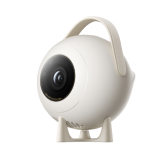
#jmgo.projector.k620cn
坚果智能投影仪-Migo系列
urn:miot-spec-v2:device:projector:0000A02C:jmgo-k620cn:1:0000D01C
Language
Service tree
Projector#2 · projector2 properties1 actions
Projector
#2 · projector
Properties
Brightness
#3 · brightness
- Format
- uint8
- Access
- R / W / N
- Value
- 1 ~ 10, step 1
TV Input Control
#2 · input-control
- Format
- uint8
- Access
- R / W / N
- Value
- 1HDMI 10MMP
Actions
Turn Off
#1 · turn-off
Play Control#3 · play-control5 actions
Play Control
#3 · play-control
Actions
Play
#3 · play
Pause
#4 · pause
Next
#5 · next
Previous
#6 · previous
Stop
#7 · stop
Virtual Remote#6 · virtual-remote1 properties1 actions
Virtual Remote
#6 · virtual-remote
Properties
Button Type
#1 · button-type
- Format
- uint8
- Access
- Value
- 0Home1Settings2Back3Left Button4Right Button5Up6Down7Ok8Volume Down9Volume Up10Menu11Mute12Focus Up13Focus Down15Power
Actions
Press
#1 · press-button
Input
#1Button Typeuint8
Speaker#4 · speaker2 properties
Speaker
#4 · speaker
Properties
Volume
#1 · volume
- Format
- uint16
- Access
- R / W / N
- Value
- 0 ~ 100, step 1 percentage
Mute
#2 · mute
- Format
- bool
- Access
- R / W / N
- Value
- —
Message Router#5 · message-router2 properties1 actions
Message Router
#5 · message-router
Properties
Request
#1 · request
- Format
- string
- Access
- Value
- —
Response
#2 · response
- Format
- string
- Access
- Value
- —
Actions
Post
#1 · post
Input
#1Requeststring
Output
#2Responsestring
BLE Local Control#7 · ble-control1 actions
BLE Local Control
#7 · ble-control
Actions
Turn On
#1 · turn-on
Custom Service#8 · ifttt2 properties1 actions3 events
Custom Service
#8 · ifttt
Properties
App Package Name
#1 · apppackagename
- Format
- string
- Access
- R / W / N
- Value
- —
App List
#2 · applist
- Format
- string
- Access
- R / N
- Value
- —
Actions
Open App
#1 · openapp
Input
#1App Package Namestring
Events
Turn Off
#1 · deviceshutdown
Turn On
#2 · devicestartup
App Opened
#3 · appopened
Arguments
#1App Package Namestring