
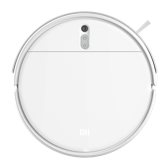
Xiaomi Robot Vacuum-Mop 2i
ijai.vacuum.v16
印度版
Basic information
- Product ID
- 9194
- Manufacturer
- 深圳市杉川机器人有限公司
- Category
- Cleaning Appliances
- Release month
- 2023-04
- Status
- Release
- Protocol
- Wi‑Fi
- Model
- ijai.vacuum.v16
- Gateway required
- Not required
XiaoAI voice control
电量
- 查询扫地机器人剩余电量
扫地
- 扫地机器人开始扫地
停止扫地
- 扫地机器人停止扫地
充电
- 扫地机器人充电
Smart scenes
Triggers
Actions
FAQ
1. What should I do if the vacuum-mop cannot connect to the network?
(1) Ensure that the vacuum-mop is turned on and has sufficient power, or connect the vacuum-mop to the network while it is charging. (2) Simultaneously press and hold the power and dock buttons for 7 seconds. Once you hear "Resetting the Wi-Fi connection and entering network configuration mode.", the indicator will blink and the connection can be completed by following the instructions in the app. (3) Ensure that the phone is successfully connected to a Wi-Fi network that meets the requirements of this product: a. Connect directly to the router if it is set to dual-band, which means it is using the same Wi-Fi name for both the 2.4 GHz and 5 GHz bands. b. Connect to the 2.4 GHz Wi-Fi network if the router broadcast two Wi-Fi signals with different names. (4) If the router is configured to use MAC address filtering, please disable this setting before connecting to the network.
2. What should I do if the vacuum-mop is at the charging dock but cannot be charged?
(1) Check whether the electrical outlet is properly powered and check whether the charging dock's power cord is properly connected. (2) Check whether the charging contacts on the vacuum-mop and the charging dock are dirty. If so, wipe them clean with a dry cloth.
3. What should I do if the vacuum-mop cannot find the charging dock when returning to the dock to charge?
(1) Ensure that the charging dock is placed properly: a. Place the charging dock against a wall on a flat surface, and keep the surrounding area free from obstacles within 0.5 m on both sides and 1.5 m in front of the charging dock. b. Ensure that there are no highly reflective objects, such as mirrors, windows, and shiny metals, on the opposite side of the charging dock. (2) Place the vacuum-mop about 1 meter in front of the charging dock, press the dock button, and check whether it can return to the dock to charge successfully. (3) If the vacuum-mop still cannot return to the dock to charge, please contact the after-sales service.
4. How do I achieve better results with the mopping function?
It is recommended to moisten the mop first and wring it out before use, to mop the floor more evenly and efficiently.
5. What is the purpose of the top camera?
This camera will extract straight lines in the space above the vacuum-mop during the cleanup,such as linear light strips and decorations on the ceiling, etc. lt is used to calculate and correct the direction,reduce the directional drift,and to make the S-shaped cleaning path more accurate.The camera itself is low-resolution and only does real-time calculations, it does not capture nor upload any information regarding the surroundings,so please feel free to use it.
6. How does the vacuum-mop avoid obstacles?
The vacuum-mop uses the collision sensor and the infrared distance measurement to avoid obstacles. For the obstacles of high brightness, of black color, and of less than 3 cm in width and height, the vacuum-mop cannot avoid them via the infrared distance measurement. The vacuum-mop can only avoid these obstacles after colliding with them.