
上海贝氪若宝健康#4876
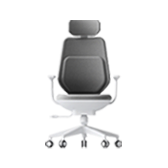
贝氪智能托腰办公椅
bkrobo.chair.bc03
🛜2.4GWi‑Fi
Recommendation score
25%
Reviews
339
Recommendations
86
Activations
15880
Basic information
- Product ID
- 4876
- Manufacturer
- 上海贝氪若宝健康科技有限公司
- Category
- Office & Study
- Release month
- 2021-05
- Status
- Release
- Protocol
- Wi‑Fi
- Model
- bkrobo.chair.bc03
- Gateway required
- Not required
FAQ
如何配网?
1、椅子安装完成,接上电源,按住“SMART”键开机 2、同时长按“SMART”键及“-”键保持5秒,“SMART”键黄灯闪烁,即进入配网模式 3、“SMART”键出现蓝色常亮灯,表明椅子已经联网成功
SMART键灯光如何识别?
1、“SMART”键出现黄色呼吸灯,表明椅子在未联网状态下启动了智能随动模式 2、SMART”键出现蓝色呼吸灯,表明椅子在已联网状态下启动了智能随动模式,此时可通过米家APP进行个性操作 3、“SMART”键出现黄色闪烁灯,表明椅子可以进行配网 4、“SMART”键出现蓝色常亮灯,表明椅子已经联网成功